Introduction
Best smartphones for seniors in New Zealand are becoming increasingly important as more older adults use technology to stay connected with family, healthcare services and everyday life. Choosing the right smartphone can make a big difference in the daily lives of older adults. Whether it’s staying in touch with family, making video calls with grandchildren, checking appointments, or accessing emergency services, a simple and reliable smartphone can help seniors remain connected and independent.
However, not all smartphones are designed with seniors in mind. Small text, complicated menus, and short battery life can make some devices frustrating to use.
In this guide, we’ll look at the most important features to consider and recommend some of the best easy-to-use smartphones available in New Zealand in 2026.
Why Seniors Need a Simple Smartphone
Modern smartphones offer many benefits for older adults:
- Easy communication with family and friends
- Video calls and messaging apps
- Access to online banking and healthcare services
- GPS navigation and transportation apps
- Emergency contact and safety features
- Entertainment such as music, videos, and news
The key is finding a device that balances useful features with ease of use.
Key Features to Look For
Large and Clear Display
A larger screen makes reading messages, browsing the internet, and viewing photos much easier. Many seniors prefer screens between 6 and 6.7 inches.
Simple User Interface
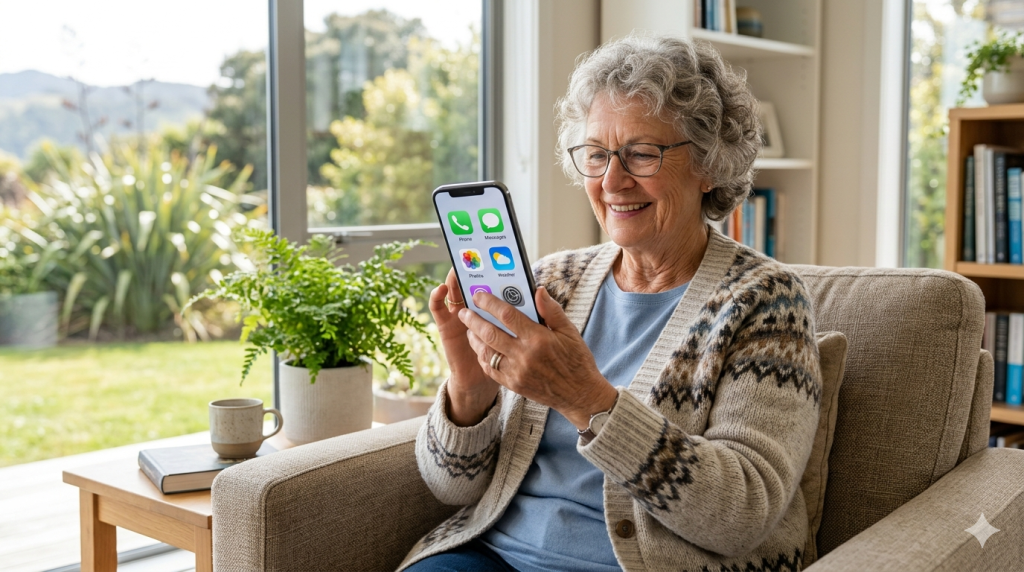
Look for phones with clean menus and easy navigation. Android and iPhone devices both offer accessibility settings that can simplify the user experience.
Loud Speakers and Hearing Aid Support
Clear audio is important for phone calls. Phones with strong speakers and hearing aid compatibility can significantly improve communication.
Long Battery Life
Nobody wants to charge their phone multiple times a day. A battery that lasts a full day or longer provides peace of mind.
Emergency and Safety Features
Features such as Emergency SOS, medical information access, and location sharing can be especially valuable for older users.
Best Smartphones for Seniors in New Zealand
1. Samsung Galaxy A16
The Samsung Galaxy A16 offers an excellent balance of affordability and functionality.
Pros
- Large bright display
- Simple Android interface
- Excellent battery life
- Affordable price
Cons
- Camera quality is average
- Plastic construction
This is one of the best overall choices for seniors who want a reliable smartphone without spending too much.
2. Nokia G22
Nokia phones are known for durability and straightforward software.
Pros
- Clean and simple Android experience
- Durable design
- Good battery performance
- Easy to learn
Cons
- Slower performance than premium phones
The Nokia G22 is ideal for seniors who value simplicity and reliability.
3. Apple iPhone SE
For seniors already familiar with Apple products, the iPhone SE remains a strong option.
Pros
- Easy-to-use iOS operating system
- Excellent security
- Reliable software updates
- Emergency SOS features
Cons
- Smaller screen
- Higher price than some Android alternatives
The iPhone SE is particularly suitable for seniors whose family members also use iPhones.
Tips for Setting Up a Smartphone for Seniors
After purchasing a phone, consider making these adjustments:
- Increase text size
- Enable larger icons
- Add important contacts to the home screen
- Set up emergency contacts
- Turn on voice assistance features
- Simplify notifications
These small changes can make a smartphone much easier to use.
Final Recommendation
For most seniors in New Zealand, the Samsung Galaxy A16 offers the best combination of affordability, usability, and battery life.
Those looking for maximum simplicity may prefer the Nokia G22, while seniors already invested in the Apple ecosystem should consider the iPhone SE.
The best smartphone is ultimately the one that feels comfortable and easy to use every day.
Conclusion
A smartphone can help seniors stay connected, informed, and independent. By focusing on large displays, simple interfaces, strong battery life, and safety features, older adults can find a device that suits their needs without unnecessary complexity.
With the right phone, technology becomes a useful tool rather than a source of frustration.